> For the complete documentation index, see [llms.txt](https://docs.gospace.com/llms.txt). Markdown versions of documentation pages are available by appending `.md` to page URLs; this page is available as [Markdown](https://docs.gospace.com/whats-new/release-notes/v2.2.2.md).
# v2.2.2
This update introduces room shift scheduling, enhances the cancellation process for scheduling with others, and adds new notifications for custom teams.
## New Features and Improvements
### Room Shift Scheduling
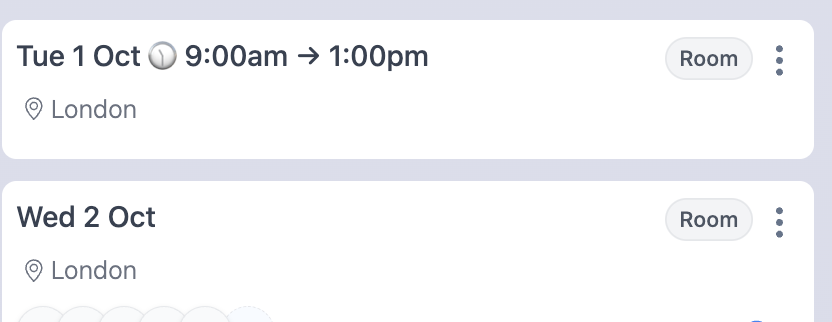
We've implemented the first iteration of room shift scheduling, a feature highly anticipated by many of our users. When enabled in the location feature toggles on the admin console, users can now schedule rooms for specific shifts within the location's operating hours.
This new functionality adheres to our existing capacity handling rules. If a room is unavailable for the requested shift, the user will be placed on the waitlist. This provides greater flexibility for organisations with varied working hours or those requiring more granular control over rooms in their workplace.
The shift scheduling option seamlessly integrates into the existing scheduling user interface, and is the first stage in our full shift release, following will come space shifts shortly.
### Enhanced Cancellation
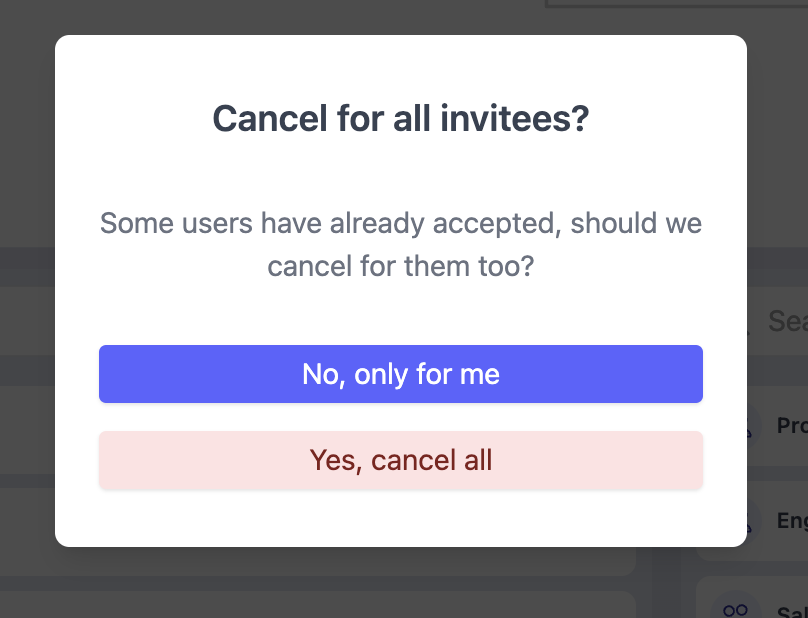
We've introduced a new user experience improvement for cancelling for your full invite list. Now, when a user who has invited others cancels their intention, they have the option to cancel for all invitees.
This feature addresses a key friction point identified by our users, it also prevents unnecessary space allocation when group plans change and individual cancellations are forgotten.
When the creator of an intention with an invite list clicks cancel, they now have two options: Cancel just for themselves, Cancel for themselves and all invitees, completely freeing up the allocated space or room.
### New Custom Team Notifications
To improve transparency and awareness for users, we've added two new notifications:
* Users will now receive a notification when they are added to a custom team.
* Users will also be notified when they are removed from a custom team.
### Coming Soon
* AIDRA metrics MVP on planning (issue identified: in late stages of QA testing)
* Shifts for space scheduling (in pre-release testing)
We're constantly working to improve your experience with gospace. These updates represent our ongoing commitment to enhancing our platform based on user feedback and industry best practices.
Thank you for your continued trust and support in gospace. If you have any questions about these new features or encounter any issues, please don't hesitate to reach out to our support team.
The gospace Team
---
# Agent Instructions
This documentation is published with GitBook. GitBook is the documentation platform designed so that both humans and AI agents can read, navigate, and reason over technical content effectively. Learn more at gitbook.com.
## Querying This Documentation
If you need additional information that is not directly available in this page, you can query the documentation dynamically by asking a question.
Perform an HTTP GET request on the current page URL with the `ask` query parameter, and the optional `goal` query parameter:
```
GET https://docs.gospace.com/whats-new/release-notes/v2.2.2.md?ask=&goal=
```
`ask` is the immediate question: it should be specific, self-contained, and written in natural language.
`goal` is optional and describes the broader end goal you are ultimately trying to accomplish on behalf of the user. GitBook uses it to tailor the answer towards what is most useful for that goal.
The response will contain a direct answer to the question and relevant excerpts and sources from the documentation.
Use this mechanism when the answer is not explicitly present in the current page, you need clarification or additional context, or you want to retrieve related documentation sections.